Factory Reset MX-P2
If your camera is having performance issues or output problems, please follow this guide to factory reset.
You will need the following:
You will need the following:
- MX-P2 USB Cable
- Computer with a free USB port
1. Unplug everything from your camera, but keep the USB cord connected to your computer.
2. With one hand, hold down the Snowflake button and the LED Lamp button simultaneously.
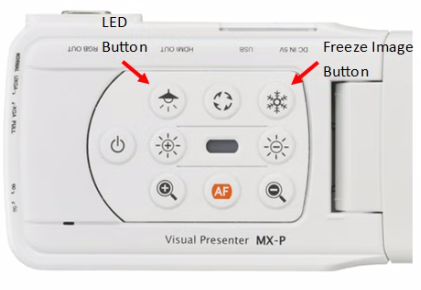
2. With one hand, hold down the Snowflake button and the LED Lamp button simultaneously.
3. With your other hand connect the USB cable to your camera.
4. The power LED on the ELMO should start flashing blue. Once it starts you can let go of the Snowflake and LED Lamp button.
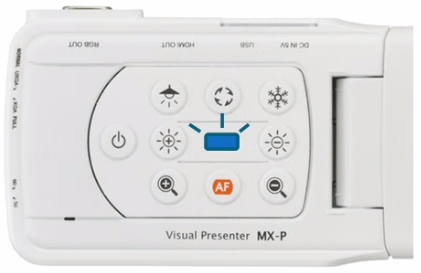
5. After 10 seconds disconnect the USB cord from your camera. Your camera is now reset to factory defaults and ready to be used again.