MX-1 Adjust Brightness
To adjust the brightness on your MX-1, you will need to set the camera to Brightness Adjustment mode.
While the camera is powered on, press and hold the LED toggle button for 4 seconds.
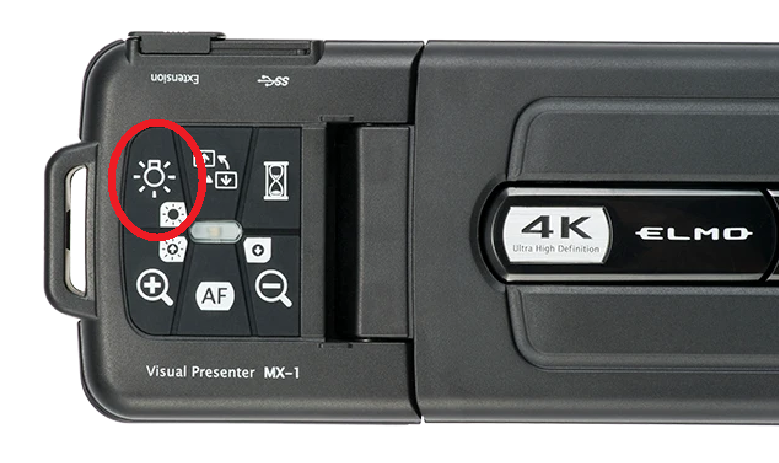
While the camera is powered on, press and hold the LED toggle button for 4 seconds.
The camera's power indicator will change to Purple when ready. You can use the Zoom In (+) and Zoom Out (-) buttons to raise or lower the brightness setting.
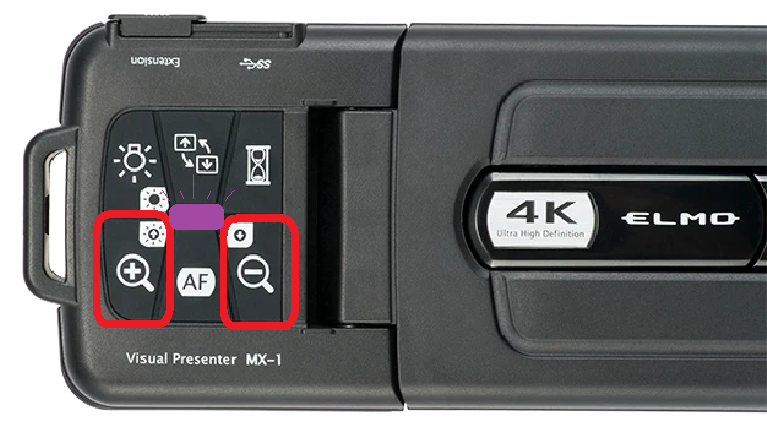
To toggle off Brightness Adjustment mode, hold the LED toggle button again for 4 seconds.