MX-P Reset Brightness Shortcut
If the feed from your MX-P document camera is too bright or too dark and you want to quickly bring it back to default, press and hold the Brightness Up (+) and Brightness Down (-) buttons simultaneously.
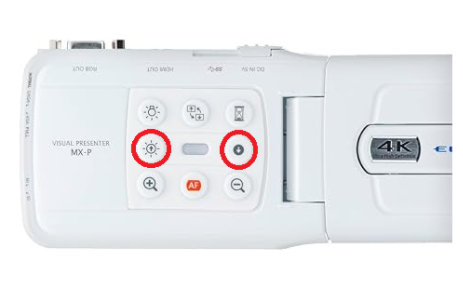
After a few seconds the internal brightness setting will reset back to default levels.
After a few seconds the internal brightness setting will reset back to default levels.