Installing the OX-1 desk clamp
1. Loosen the desk grip
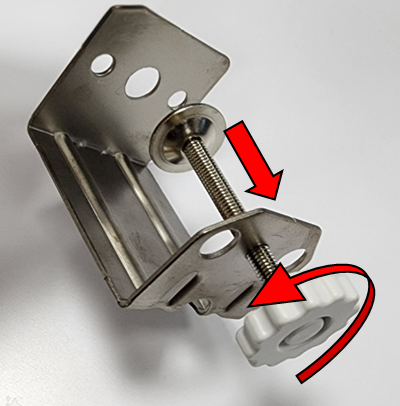
2. Locate the clamp insert on your OX-1
3. Slide the clamp into the OX-1
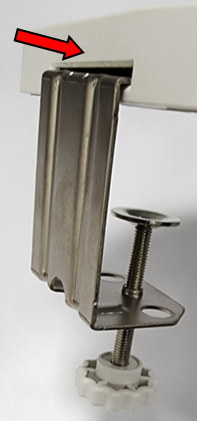
4. Place the clamp onto the side of your desk and tighten the grip

Do not over tighten the clamp or you may damage the clamp, camera, and desk
Related Articles
OX-1 Overview
Use this article to learn more about your new ELMO device. For troubleshooting, please see our device help page. Package Contents Supported Software Windows 7 / 8 / 8.1 / 10 / 11 - Image Mate 5 - ELMO Interactive Toolbox for Windows - Image Mate + ...OX-1 Product Support
Having trouble setting up your OX-1 document camera? Use this article to troubleshoot common issues and get answers to your questions! Troubleshooting Problem: Camera not recognized / No image from camera. Solution: Change USB cable. Change USB ...OX-1 Not Connecting
If your OX-1 is not turning on please review this article for suggestions. 1 - If you just plugged in your OX-1 camera to your computer and nothing is happening, it is because you are not running software. The OX-1 requires software to use and will ...OX-1 No Power when Connected to Computer
The OX-1 will not power on by itself when connected to a computer. You must have software open to turn on the OX-1 and to use it's LED light. The OX-1 automatically turns itself off when there is no software open to save power on your computer. For ...MX-1 and MX-P Firmware update
This guide is intended for advanced users only. You will need administrator level permissions on your system to continue. This process is only possible on a Windows 10 or 11 machine at this time. This guide will show you how to update the firmware of ...